Send complimentary tickets
Send complimentary tickets
Send complimentary tickets to guests who don't need to pay to attend your event.
Complimentary tickets are free to issue and free for the guest to receive.
Send a complimentary ticket
1
Open your Event Dashboard.
2
Go to Guest Management → Send Complimentary.
3
Choose whether you're sending tickets to one person or many people.
4
Add the guest details.
5
Choose the ticket type.
6
Enter the number of tickets each guest should receive.
7
Select Issue Complimentaries. 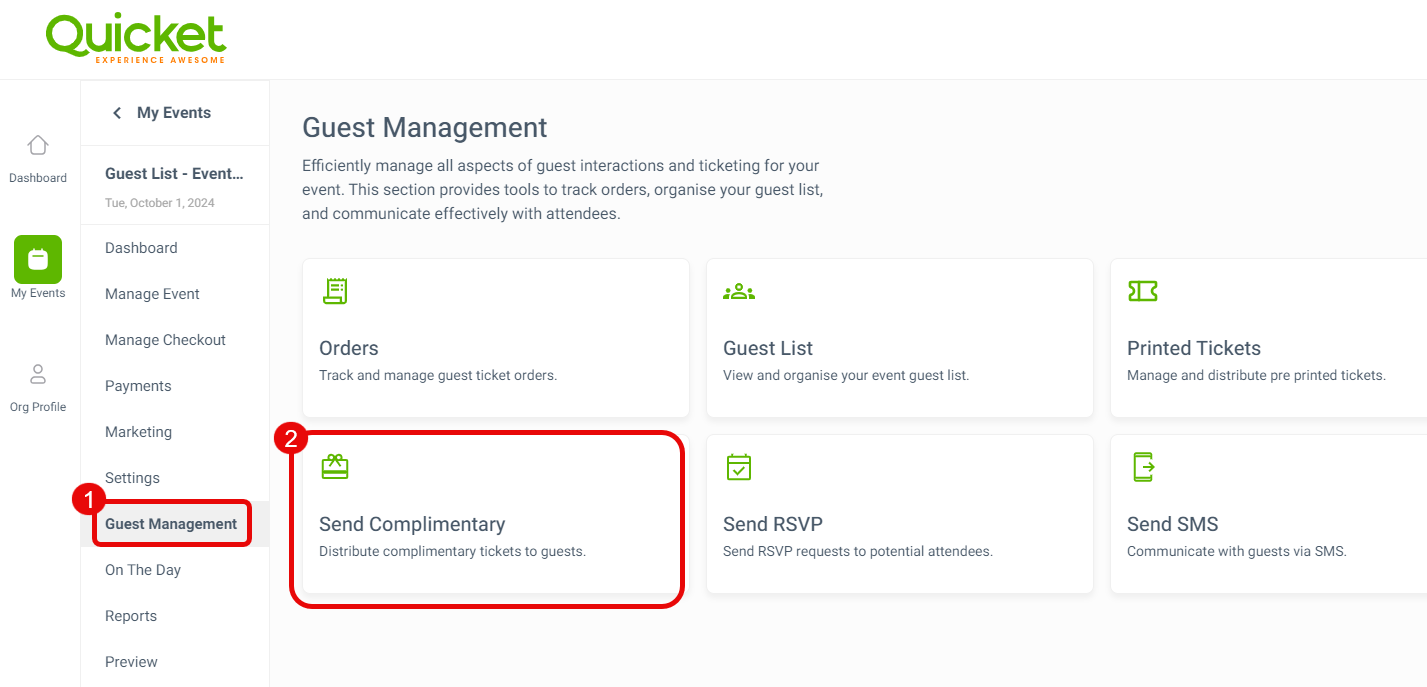
Quicket will add the guests to your Guest List and email their tickets if you've selected Send email.
Send complimentary tickets in bulk
To send tickets to multiple people, prepare a CSV containing:
- First name
- Surname
- Email address
Upload the file and choose the ticket type and quantity each person should receive.
Complimentary ticket limit
You can issue up to 200 complimentary tickets per event using your Quicket account.
For recurring events, the limit applies to each event in the series.
To send more than 200 complimentary tickets, you'll need to connect a Mandrill account.
Complimentary tickets affect capacity
Complimentary tickets count towards your event capacity.
Example
Event capacity: 100
Complimentary tickets issued: 20
Remaining capacity: 80
What’s next?
Continue managing invitations, guest access and larger complimentary sends.