Get started with the Quicket API
Get started with the Quicket API
The Quicket API lets developers connect other applications and systems to selected Quicket functionality.
Quicket provides a limited set of API functions for developers who want to extend the platform or integrate Quicket data into their own systems.
Who is the API for?
The API is designed for technical users and developers.
You might use it when you need to:
- Connect Quicket with an internal system
- Build custom reporting
- Retrieve Quicket information programmatically
- Create a custom application that uses Quicket data
Get your API key
1
Log in to Quicket.
2
Go to My Account.
3
Select API Keys.
4
Find your subscriber key. 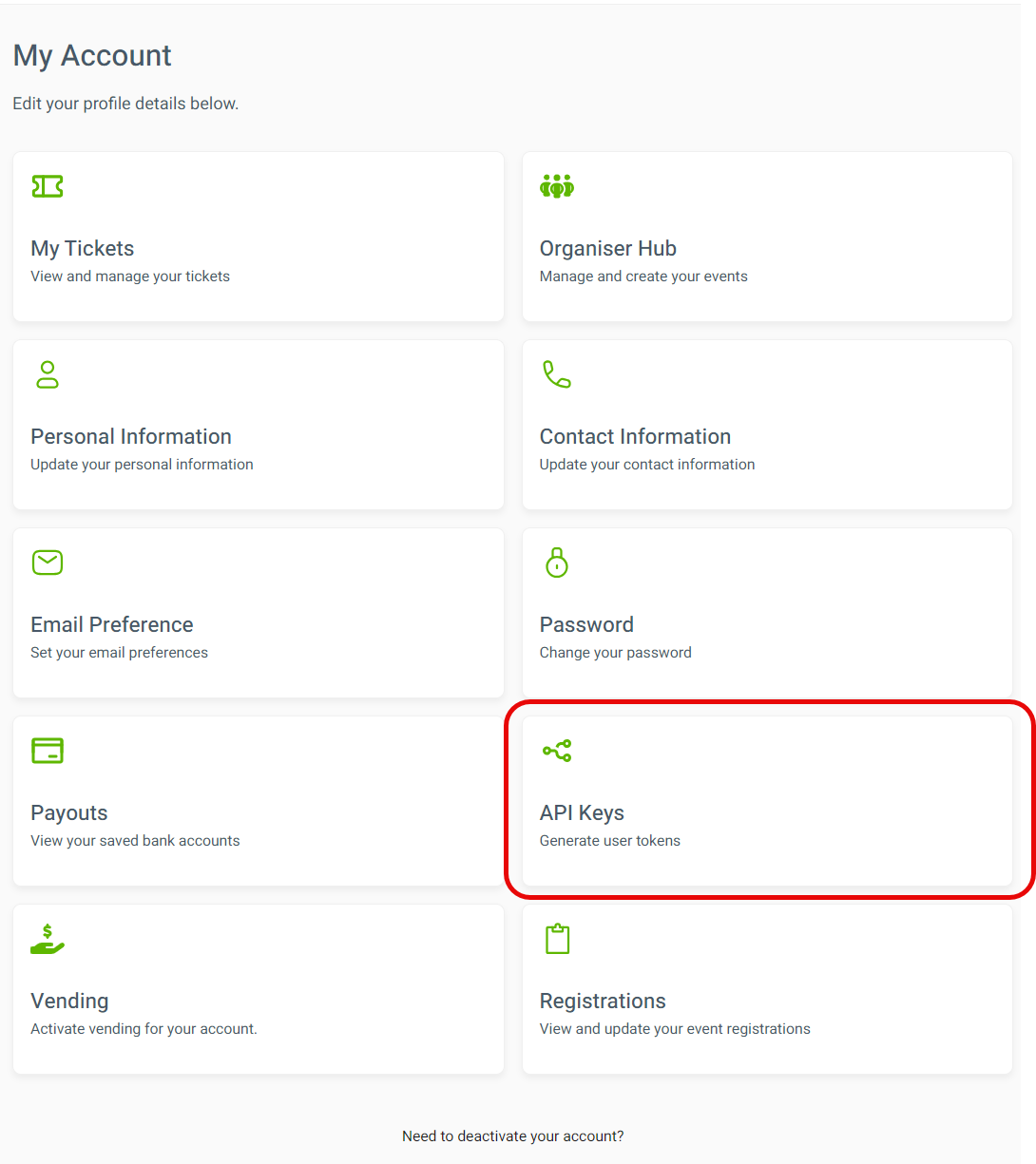
Keep your API credentials secure and don't publish them in public code or webpages.
Read the API documentation
The technical documentation is available through Quicket's developer site:
Use the documentation to see the available endpoints, parameters and supported functionality.
API or Zapier?
Zapier
Use Zapier if you want to connect Quicket with another supported app without building your own software.
API
Use the API when you need a custom integration or application.
API or Webhooks?
API
Use the API when your system needs to request information from Quicket.
Webhooks
Use Webhooks when you want Quicket to automatically notify your system when a specific action happens.
What’s next?
Review the developer documentation or choose the integration method that best fits what you're building.