Customise your ticket design
Customise your ticket design
Add your own event artwork to the tickets guests receive.
Your artwork appears below the ticket information, barcode and QR code.
Add one design to all ticket types
1
Open your Event Dashboard.
2
Go to Settings → Ticketing.
3
Find Logo or Image.
4
Upload your artwork.
5
Select Preview Ticket to check how it looks.
6
Save your changes.
Quicket recommends an image around 1500 px wide and under 500 px high for this option.
1
Go to Manage Checkout → Ticket Types.
2
Expand the ticket type you want to customise.
3
Find the image upload option.
4
Upload your artwork.
5
Select Save Tickets.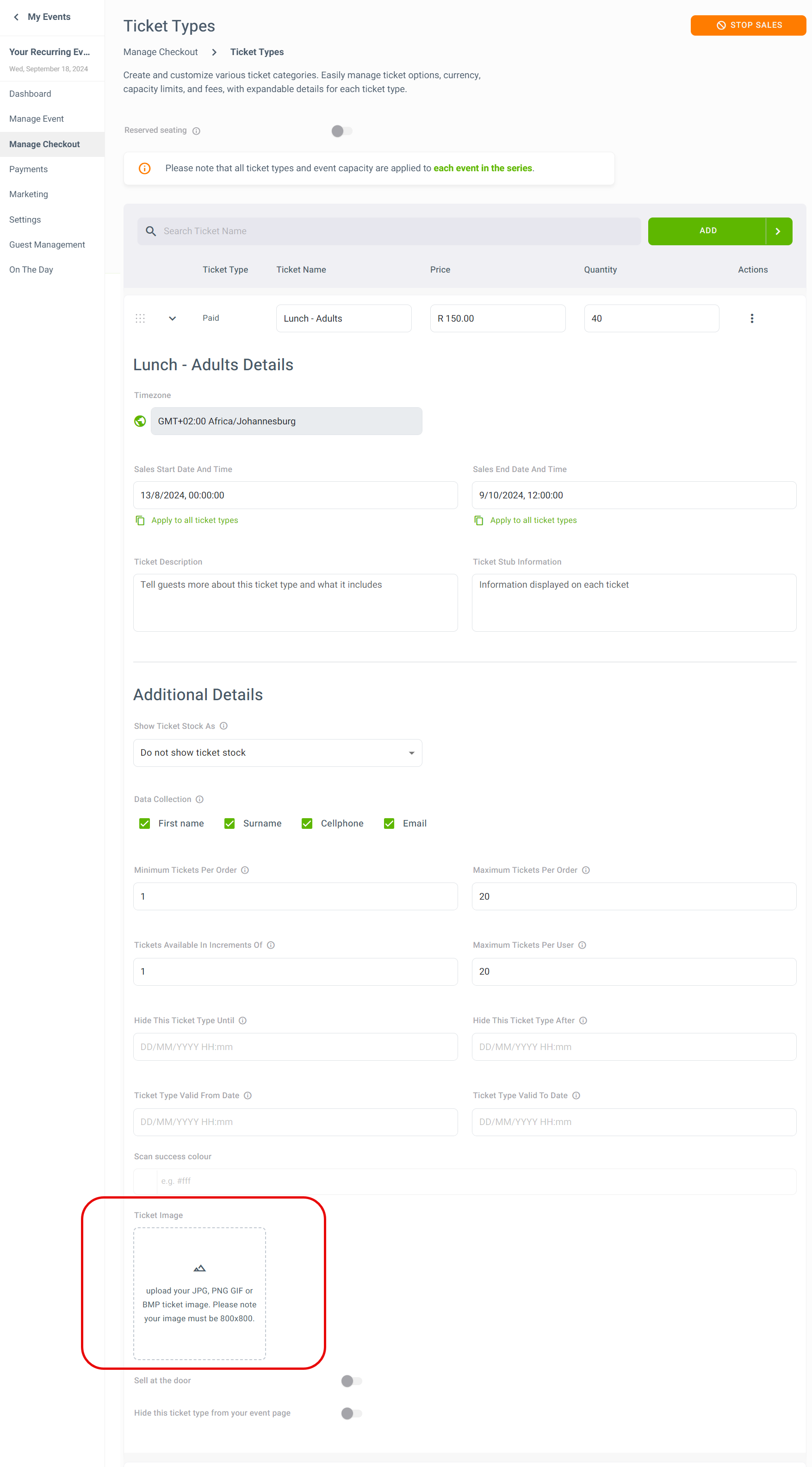
For individual ticket artwork, Quicket recommends an 800 × 800 px image.
What happens to tickets already purchased?
Guests who booked before you changed the artwork can download their ticket again to see the updated design.
Design tips
Keep the artwork simple and make sure it doesn’t contain information that could conflict with the event or ticket details printed above it.
Good options include:
- Event branding
- Sponsor logos
- Festival artwork
- Venue information
- Important event-day reminders
What’s next?
Continue customising how your event and tickets appear to guests.